Ahryman Hi I'm installing android studio I encounter Error [Errno 14] HTTPS Error 404 - Not Found What should I do now?
Staudey Ahryman You're talking about the version from the Third Party Repository? Try again. It just worked for me. Whether or not that version is stable or really usable is another question (I hope so, but I'm not actively using it)
CorvusRuber Another possibile solution is Jetbrains toolbox app, which manages download, installation (in userspace) and update of the various Jetbrains IDEs.
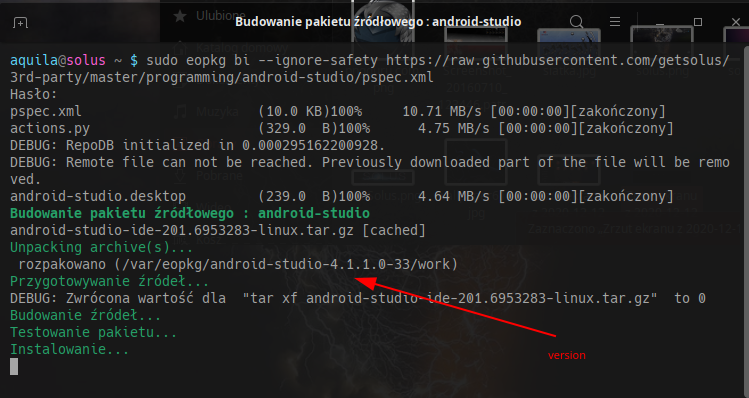
pomon You can try like this: sudo eopkg bi --ignore-safety https://raw.githubusercontent.com/getsolus/3rd-party/master/programming/android-studio/pspec.xml sudo eopkg it android-studio*.eopkg;sudo rm android-studio*.eopkg
pomon pomon It is strange . It works for me . You can still try like this. 1. Download the Linux version and unpack it Go to ~/Download/android-studio-ide-201.6953283-linux/android-studio/bin Open a terminal there and enter ./studio.sh Later you will open go to / path/ to /studio.sh. Probably ~/Download/android-studio-ide-201.6953283-linux/android-studio/bin/studio.sh You can also click this file twice with the mouse.
CorvusRuber Ahryman Have you tried downloading the pspec file with wget ? wget https://raw.githubusercontent.com/getsolus/3rd-party/master/programming/android-studio/pspec.xml Try that and post the output here....