Hello,
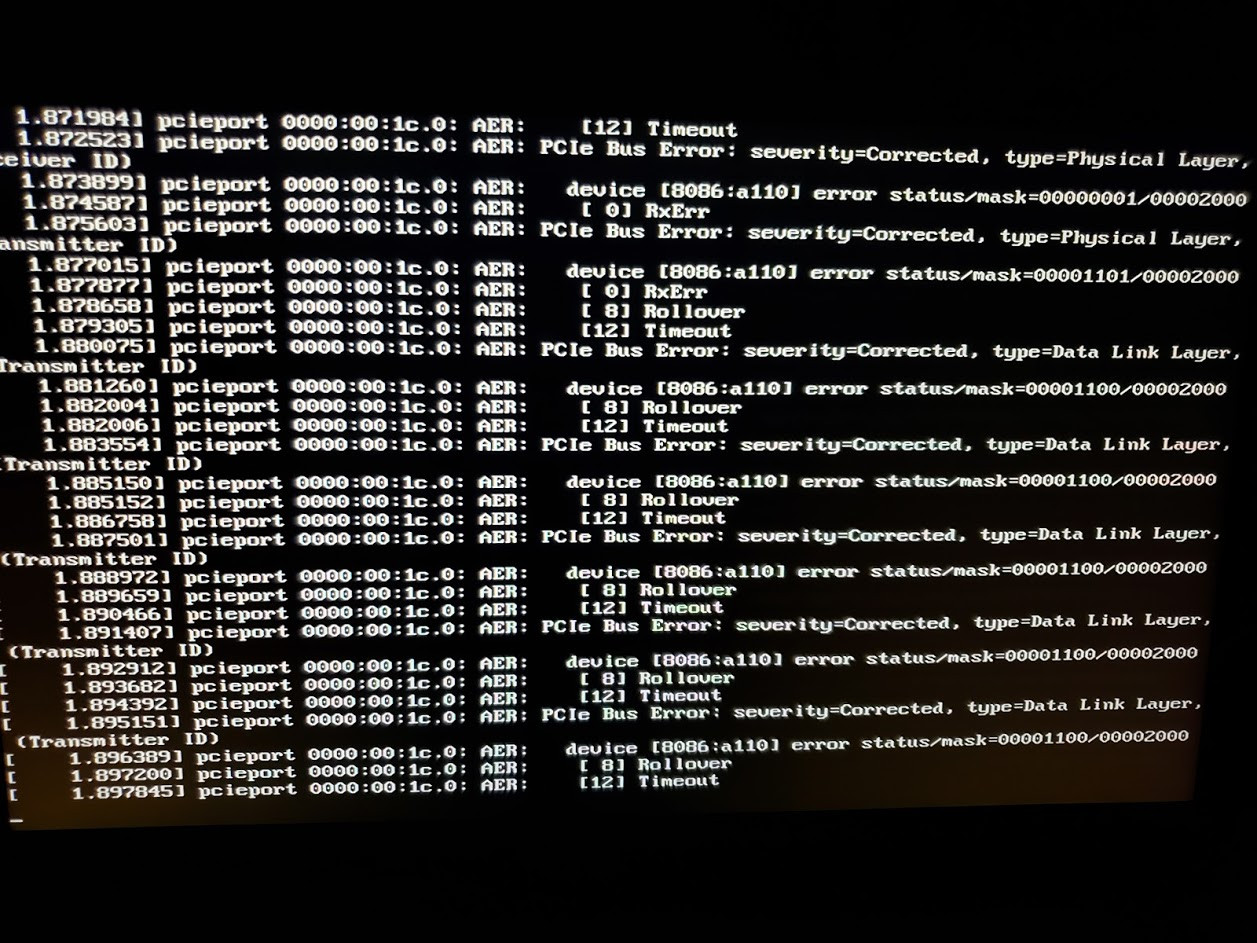
I'm really excited to try Solus out. I am unsatisfied with Windows 10, and I think that Solus would be a good option for me to use on a daily basis. However, I am having a lot of difficulty getting Solus (Budgie) installed. I have made a live USB using the official ISO file and Rufus. When I try to boot from this USB, I am sent to a menu with an option to boot into Solus, or return to firmware settings. When I attempt to boot into Solus, the screen immediately turns black and floods with PCIe errors:
1.871984] pcieport 0000:00:1c.0: AER:	[12] Timeout

1.872523] pcieport 0000:00:1c.0: AER: PCIe Bus Error: severity=Corrected, type=Physical Layer,

(Reciever ID)

1.873899] pcieport 0000:00:1c.0: AER: device [8086:a110] error status/mask=00000001/00002000

1.874587] piceport 0000:00:1c.0: AER:	[ 0] RxErr

1.875603] pcieport 0000:00:1c.0: AER:	[ 0] Rollover

1.879305] pcieport 0000:00:1c.0: AER:	[12] Timeout

1.880075] pcieport 0000:00:1c.0: AER: PCIe Bus Error: severity=corrected type=Data Link Layer,
I was told on another forum that I could simply append the kernel parameters using Grub, but I am unable to use Grub because (or I just don't know how to get to it). I have tried recreating the live USB several times, and every time I get the same set of errors. Is there any way that I can append the kernel parameters on the live USB on Windows 10? Any help or solutions would be greatly appreciated.
System Specifications:
-Device: ASUS UX550VE
-CPU: i7 7700HQ
-Chipset: HM175 Express
-GPU: GTX 1050M
-SSD: 970 EVO M.2
BIOS Settings:
-Secure Boot: Disabled
-CSM: Disabled
-Fastboot: Disabled