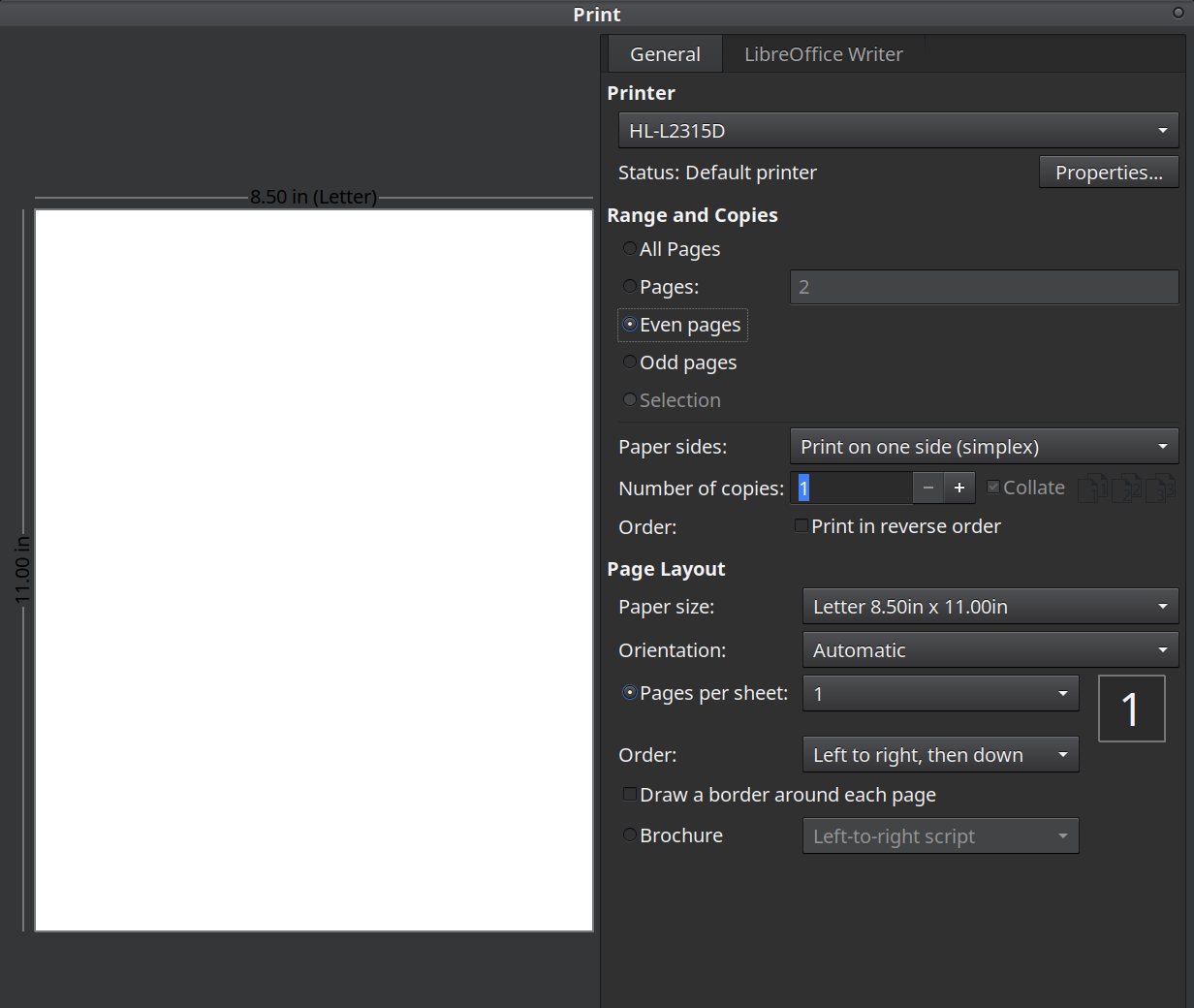
See bottom of picture? That's the bottom of screen. I cannot hit the UI 'print' button.
When I move the print box upwards where it overlaps the task bar, I still can't see the print button.
When I move the print box upwards where it overlaps the task bar, the task bar will not return it, and I still can't see the 'print' button.
And when I say the task bar eats the print dialogue box, I am saying the Kill Windowbuttons are disappeared.
And when I say 'disappeared,' this button no longer works. YOu can see it in the upper right but it cannot be used. The whole thing is frozen.
So you can't cancel your document, either.
The only way to clear the Mega Big print dialogue box is to hit ENTER, whether you want to or not.
This problem has been around for a few days. Since last update, who knows?
Most certainly not life and death. If there's a simple fix, I'm game.
Deduction: Libre problem only. No other print dialogue box in other apps (no haven't tried them all) have this problem.
Graci much. edit/clarity

