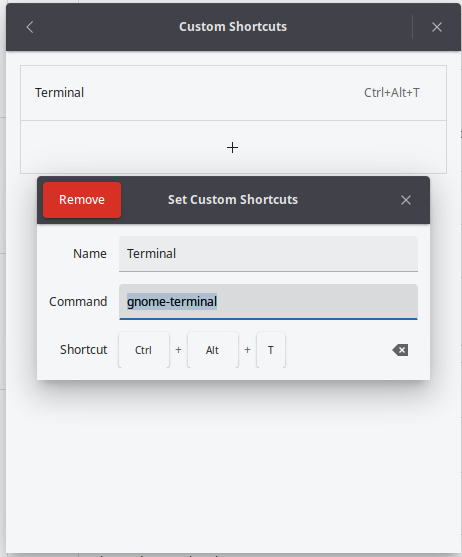
bigrammy Hi, The Custom keyboard shortcut ctrl + alt + T does not survive a reboot. It still shows in the Custom shortcut menu but does not respond. I have to remove it then re-add & it will then work until the next reboot. I am using Budgie
bigrammy AlphaElwedritsch Hi, the cmd is gnome-terminal and it all works without issue until I reboot the laptop then it does not work anymore and I have remove the old entry and add it back again then it all works fine until the next reboot.
Sebastian Does this happen every time you set the shortcut and reboot? Maybe some Budgie people can chip in here. I know there is a Budgie shortcuts issue due to GNOME 49. So you might be experiencing this issue: https://github.com/BuddiesOfBudgie/budgie-desktop/issues/745
bigrammy Sebastian Hi thanks for this yes it happens every time I reboot. It does seem that issue is the same as the one you linked but the paths are all different to Solus and I don't want to break anything permanently so I guess I will have to wait for a fix to be pushed out if the Discover app ever gets fixed properly that is. LOL