brent
Hi,
Whatever you place in the /home/yourusername/desktop folder appears on the Desktop so a shortcut to start chrome is exactly what I wanted to achieve so my Mother can see it without searching for it & simply click on it and open chrome.
So Chrome has hidden built in links or shortcuts whatever you want to call them for YouTube, Gmail, Google Drive, Chats, Docs, Slides, Sheets, Remote Desktop, etc
They all live HERE
/home/your-user-name-goes-here/.var/app/com.google.Chrome/config/google-chrome/Default/Web Applications/Manifest Resources/
aghbiahbpaijignceidepookljebhfak (this is Google Drive)
agimnkijcaahngcdmfeangaknmldooml (this is YouTube)
fmgjjmmmlfnkbppncabfkddbjimcfncm (this is Gmail)
kjbdgfilnfhdoflbpgamdcdgpehopbep (this is Google Calender)
etc, etc.
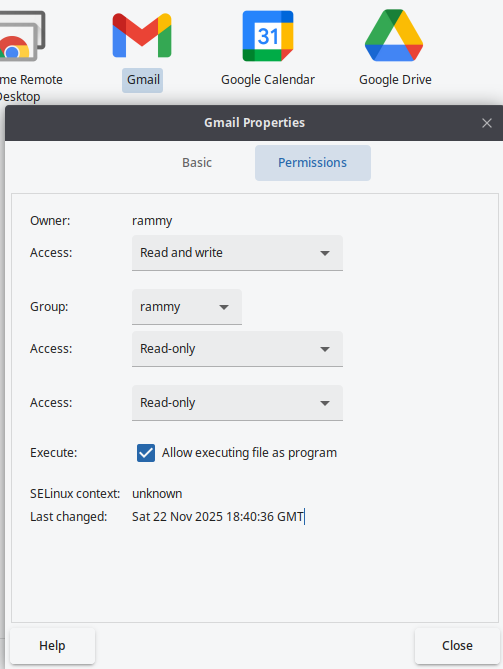
So the Gmail example below works as is just copy the text paste it into a new txt document and name it something like gmail.desktop give it the correct permissions
#!/usr/bin/env xdg-open
[Desktop Entry]
Version=1.0
Terminal=false
Type=Application
Name=Gmail
Exec=/var/lib/flatpak/app/com.google.Chrome/current/a3cf46091052cca5aebac4676a76344b9de22de733592856a28dedc98e1057c2/files/extra/google-chrome "--profile-directory=Profile 1" --app-id=fmgjjmmmlfnkbppncabfkddbjimcfncm
Icon=chrome-fmgjjmmmlfnkbppncabfkddbjimcfncm-Profile_1
StartupWMClass=crx_fmgjjmmmlfnkbppncabfkddbjimcfncm
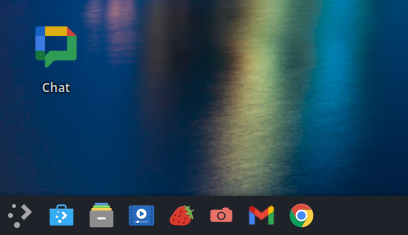
I will pin a few to the task bar to prove it works and take a screenshot but I can't pin them while doing this as chrome is running in front. If that makes sense
EDIT: OK so I pinned them to the task bar but they do not survive a restart 👎️ They disappear unlike the other pinned shortcuts. The desktop ones all still work though :-D